Ask for what you need and it becomes part of the app
Say you want your Google Calendar in Camenae. It connects the account, then builds you a calendar plugin shaped the way you described it: a month view or only the week ahead, a button for quick events, work in red and the gym in green, and none of the things you didn’t ask for.
The plugin stays in the app after the conversation ends, so you open it and use it like any other screen, and you come back to the conversation whenever you want it bigger, smaller or different.
Connect my Google Calendar and give me a month view with a + button for quick events. Work things in red…
SendPlugins are composed from a catalog of tested parts
Behind the blank slate is a catalog of 89 interface parts, from fields and buttons to calendars, charts and event cards, each with a fixed set of options. Camenae builds a plugin from those parts and checks every one against the catalog before you see it, which is how a request becomes something that works within minutes and looks at home beside the rest of the app.
- IAskDescribe it in your own words, or point at the part of a plugin you want changed.
- IIComposeCamenae chooses parts from the catalog and connects them to your data.
- IIICheckEvery part and option is validated against the catalog before anything runs.
- IVPreviewTry it with sample data, since a preview can never write to your accounts.
- VActivateSwitch to the new version when you’re happy with it, and back if you’re not.
 Calendar
Settings
+ Event
Calendar
Settings
+ EventAdd “Board prep” on Oct 6, 10:00.
Allow onceAlwaysDeny
Calories
+ MealToday it is a chat assistant with skills and files
The current app runs in Docker on your machine, uses OpenCode as its harness, and works with whichever model you pick for each thread.
Aegeria · Nº IEx fonte, consiliumCamenae
Threads with the model of your choice, with tool calls, token counts and approval requests shown beside the conversation.
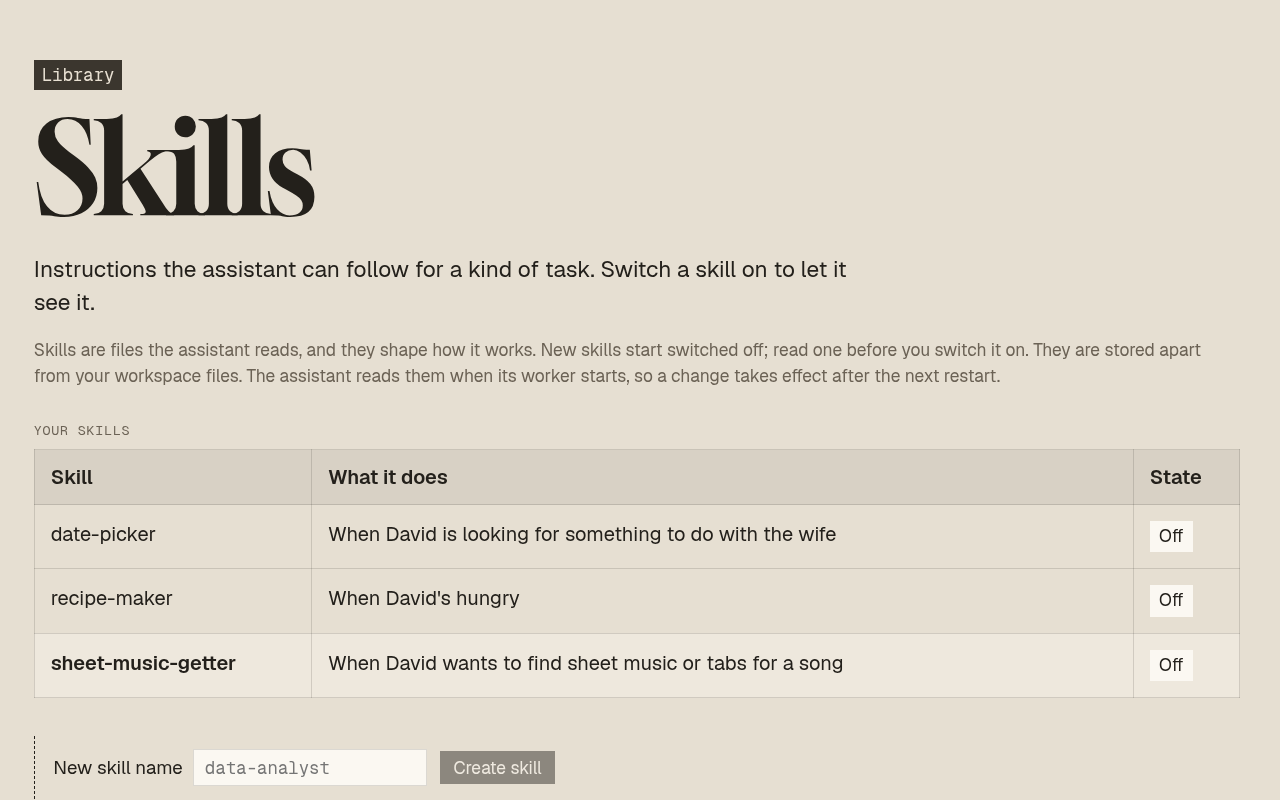
Instructions plus tools the assistant loads when a task matches, which you can switch off to keep them out of context.
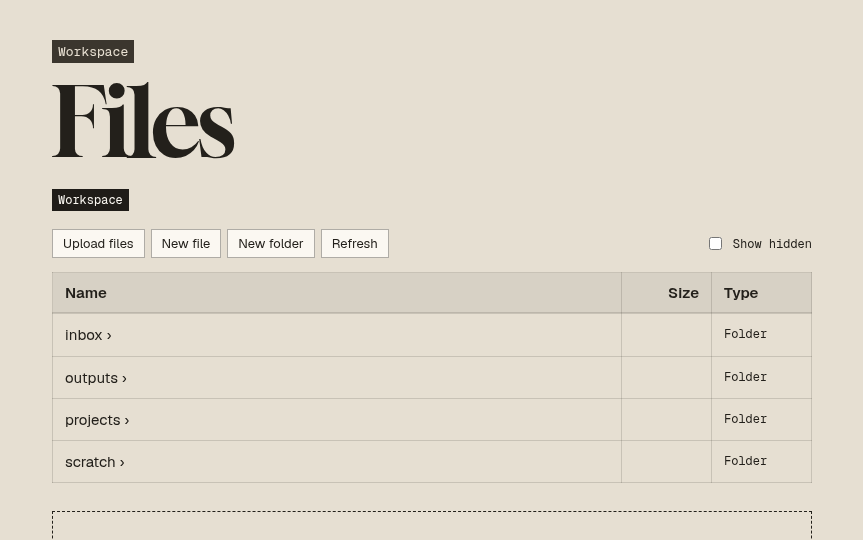
A workspace folder the assistant can read and write, with each file showing the threads that used it.
Use it with whichever agent harness you prefer
Camenae does its work through a harness, the coding agent that reads, writes and calls tools on its behalf. Every harness reaches the app through the same SDK, so your plugins, skills and files carry over when you switch from one to another.
- OpenCodeToday
- PiNext
- Claude CodeNext
- CodexNext
Share a plugin and your friend gets a copy of their own
Changed in conversation
Point at a part of a plugin or describe what it should do differently, and the current version keeps working while Camenae prepares the next one.
Shared with friends
Send a plugin to a friend who uses Camenae. They install their own copy, connect their own accounts and change it however they like, and sharing never sends your records, your credentials or the conversation that built it.
- ICreate Describe a need and try a working preview.
- IIUse Reopen the plugin and work in it directly, without a model call for ordinary operations.
- IIIChange Revise a draft while the current version stays usable.
- IVActivate See what changes before switching versions, and recover from a bad one.
- VShare Send a versioned copy, with the recipient’s data kept their own.
- VIEvolve Take updates without silently losing local changes.
My man, first of all consider what kind of thing it is; and then examine your own nature, if you are able to sustain the character.
Follow along
Camenae can’t be installed yet, and this page will say when there’s something to try.